> ## Documentation Index
> Fetch the complete documentation index at: https://docs.rafftechnologies.com/llms.txt
> Use this file to discover all available pages before exploring further.
# Connect to Kubernetes with kubectl
> Download the admin kubeconfig and run kubectl against your cluster
Updated August 24, 2026
Every cluster exposes its API server on a public endpoint (`https://.k8s.raffusercloud.com:6443`). Access is by the cluster's kubeconfig.
## Before you start
* A cluster in **Running** state
* [kubectl](https://kubernetes.io/docs/tasks/tools/) installed locally
## Steps
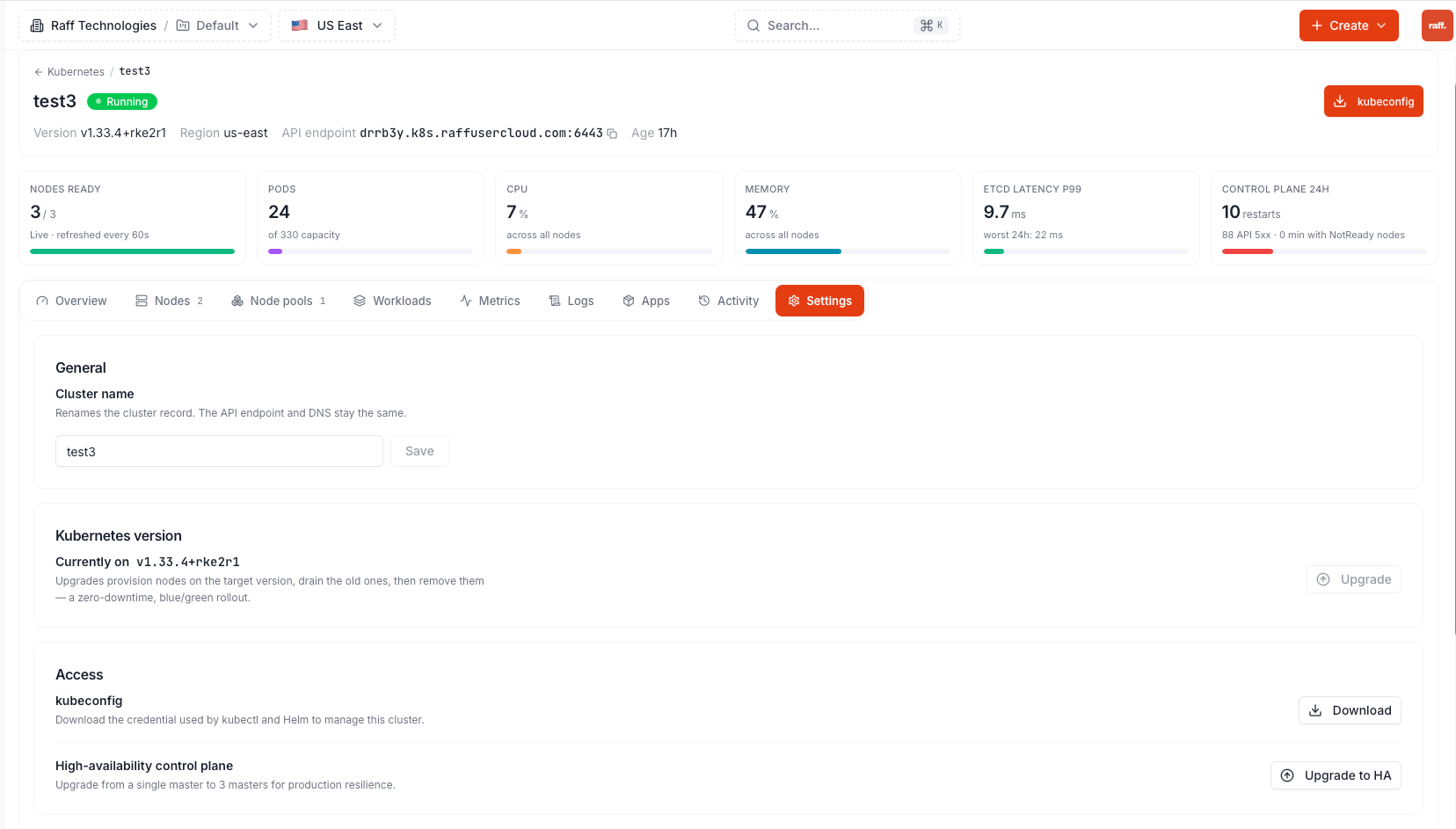
Open the cluster and click **kubeconfig** in the header (also available under **Settings**).
 ```bash theme={null}
export KUBECONFIG=~/Downloads/.yaml
kubectl get nodes
```
You should see your control-plane and worker nodes in `Ready` state.
```bash theme={null}
kubectl create deployment web --image=nginx --replicas=2
kubectl get pods -o wide
```
The kubeconfig grants **full cluster-admin access**. Store it like a password, never commit it to a repository, and don't share it outside your team. You can also fetch it from the [API](/api-reference/kubernetes/get-kubeconfig).
## Next steps
Reach your workload from the internet
Watch workloads without leaving the dashboard
```bash theme={null}
export KUBECONFIG=~/Downloads/.yaml
kubectl get nodes
```
You should see your control-plane and worker nodes in `Ready` state.
```bash theme={null}
kubectl create deployment web --image=nginx --replicas=2
kubectl get pods -o wide
```
The kubeconfig grants **full cluster-admin access**. Store it like a password, never commit it to a repository, and don't share it outside your team. You can also fetch it from the [API](/api-reference/kubernetes/get-kubeconfig).
## Next steps
Reach your workload from the internet
Watch workloads without leaving the dashboard