> ## Documentation Index
> Fetch the complete documentation index at: https://docs.rafftechnologies.com/llms.txt
> Use this file to discover all available pages before exploring further.
# Scale a Kubernetes node pool
> Add or remove worker nodes by hand, or set autoscaling bounds
Updated August 24, 2026
Scale a pool between 2 and 20 nodes. Scaling down never kills your workloads abruptly: each node is cordoned and drained first, respecting PodDisruptionBudgets.
## Steps
On the **Node pools** tab, use the +/− stepper on the pool card, or click the count to open the scale dialog with a cost preview.
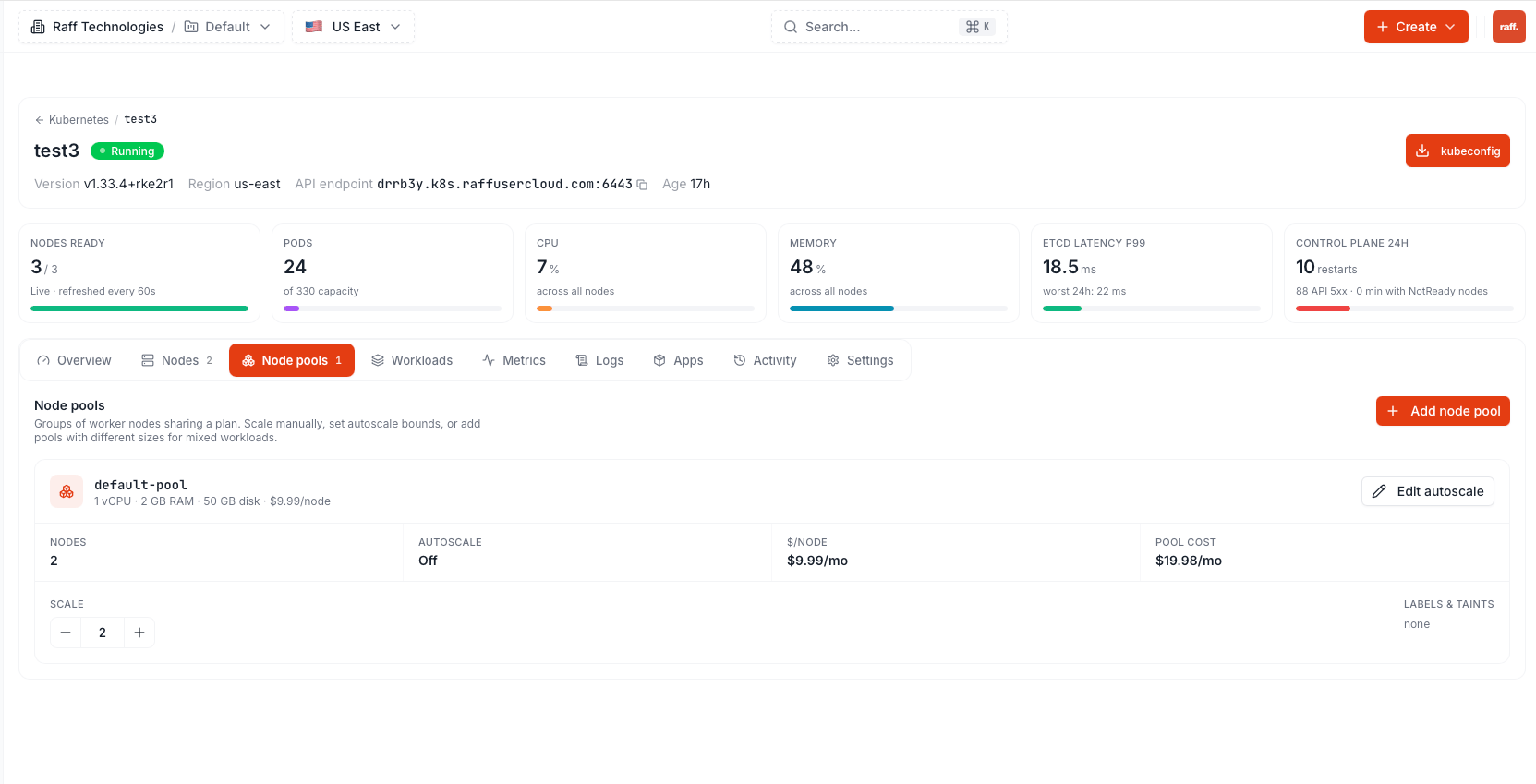 Scale-up deploys new nodes (\~3 minutes each). Scale-down runs in the background: newest nodes are drained one at a time, then removed. The pool shows a **Scaling** badge until it settles.
**Zero-downtime rule:** a node is only removed once every pod on it has been evicted. If a PodDisruptionBudget blocks eviction for 10 minutes, scaling stops, the node is restored, and the pool's status message names the blocking pod. Workloads with a **single replica** still restart during scale-down — there is no second copy to serve while the pod moves; run 2+ replicas for anything that must stay up.
## Autoscaling
Enable autoscaling per pool with min/max bounds (**Edit autoscale** on the pool card). The autoscaler adds nodes as soon as pods can't be scheduled for lack of CPU/memory, and removes one when a node's pod requests stay under 50% for 10 minutes and its pods fit elsewhere — always inside your bounds, with at most one scale-down per 10 minutes.
## Next steps
The rules the autoscaler follows
Automate scaling with the REST API
Scale-up deploys new nodes (\~3 minutes each). Scale-down runs in the background: newest nodes are drained one at a time, then removed. The pool shows a **Scaling** badge until it settles.
**Zero-downtime rule:** a node is only removed once every pod on it has been evicted. If a PodDisruptionBudget blocks eviction for 10 minutes, scaling stops, the node is restored, and the pool's status message names the blocking pod. Workloads with a **single replica** still restart during scale-down — there is no second copy to serve while the pod moves; run 2+ replicas for anything that must stay up.
## Autoscaling
Enable autoscaling per pool with min/max bounds (**Edit autoscale** on the pool card). The autoscaler adds nodes as soon as pods can't be scheduled for lack of CPU/memory, and removes one when a node's pod requests stay under 50% for 10 minutes and its pods fit elsewhere — always inside your bounds, with at most one scale-down per 10 minutes.
## Next steps
The rules the autoscaler follows
Automate scaling with the REST API