> ## Documentation Index
> Fetch the complete documentation index at: https://docs.rafftechnologies.com/llms.txt
> Use this file to discover all available pages before exploring further.
# Upgrade the Kubernetes version
> Move a cluster to a newer Kubernetes version with a rolling in-place upgrade
Updated August 24, 2026
Clusters upgrade in place: control-plane nodes one at a time, then workers drained one at a time. On an HA cluster the Kubernetes API stays available throughout; on a single-master cluster the API is briefly interrupted while the master restarts. Workloads with more than one replica keep serving either way. Upgrades are free and cannot be rolled back.
## Steps
On the cluster page, open **Settings** and find **Kubernetes version**. The card shows your current version and the available targets — minor versions are offered sequentially (1.33 → 1.34, no skipping).
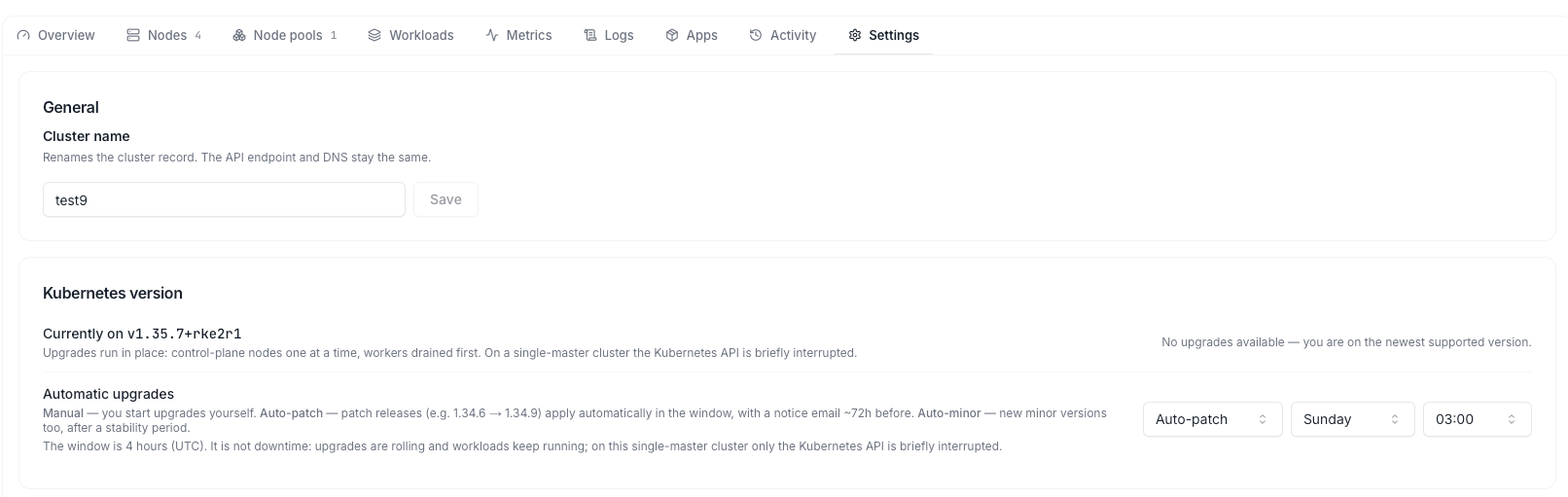 Pick the target version and click **Upgrade**. Confirm the dialog — on a single-master cluster it warns about the brief API interruption.
The header shows an **Upgrading** badge and the **Activity** feed reports each node as it moves to the new version ("2 of 5 nodes upgraded"). A 5-node cluster typically takes 5–15 minutes.
## Verify
When the badge clears, the cluster header shows the new version, and `kubectl get nodes` lists every node on it:
```bash theme={null}
kubectl get nodes
```
## Automatic upgrades
In the same Settings card you can switch the upgrade mode:
* **Manual** (default) — you start every upgrade yourself.
* **Auto-patch** — patch releases (e.g. 1.34.6 → 1.34.9) apply automatically in your weekly maintenance window, with a notice email \~72 hours before.
* **Auto-minor** — new minor versions too, after a stability period.
The maintenance window is a 4-hour weekly slot (day + start hour, UTC). It is not downtime — upgrades are rolling and workloads keep running.
When a version reaches end of life, remaining clusters are upgraded automatically in their maintenance window regardless of mode. You are emailed 60 and 14 days before. See [Supported versions](/products/build/kubernetes/details/supported-versions).
Pick the target version and click **Upgrade**. Confirm the dialog — on a single-master cluster it warns about the brief API interruption.
The header shows an **Upgrading** badge and the **Activity** feed reports each node as it moves to the new version ("2 of 5 nodes upgraded"). A 5-node cluster typically takes 5–15 minutes.
## Verify
When the badge clears, the cluster header shows the new version, and `kubectl get nodes` lists every node on it:
```bash theme={null}
kubectl get nodes
```
## Automatic upgrades
In the same Settings card you can switch the upgrade mode:
* **Manual** (default) — you start every upgrade yourself.
* **Auto-patch** — patch releases (e.g. 1.34.6 → 1.34.9) apply automatically in your weekly maintenance window, with a notice email \~72 hours before.
* **Auto-minor** — new minor versions too, after a stability period.
The maintenance window is a 4-hour weekly slot (day + start hour, UTC). It is not downtime — upgrades are rolling and workloads keep running.
When a version reaches end of life, remaining clusters are upgraded automatically in their maintenance window regardless of mode. You are emailed 60 and 14 days before. See [Supported versions](/products/build/kubernetes/details/supported-versions).