> ## Documentation Index
> Fetch the complete documentation index at: https://docs.rafftechnologies.com/llms.txt
> Use this file to discover all available pages before exploring further.
# Billing model
> How money moves through your account — cards, balance, subscriptions, credits, and the rotation rule
Updated May 8, 2026
Raff's billing has a few moving parts that look more complicated than they are. This page walks through the whole money flow on one canvas, so the rules you'll encounter elsewhere — credit on delete, balance applied first, rotation to the 1st — fit together.
## The two payment containers
Money on a Raff account lives in one of two places:
| Container | What it is | When it's used |
| ------------------- | --------------------------------------------- | ------------------------------------------------- |
| **Account balance** | A prepaid pool of credit on your account | Always applied first at checkout |
| **Saved card** | Cards you've used at checkout, stored on file | Charged for any remainder the balance can't cover |
You don't have to top up the balance before using Raff — the dashboard checkout will charge the card for the full amount if your balance is \$0. Balance just sits in front of the card; whatever's there gets used first.
## Supported payment methods
Raff accepts ten payment methods at checkout — seven major card networks and three digital wallets — processed through Airwallex.
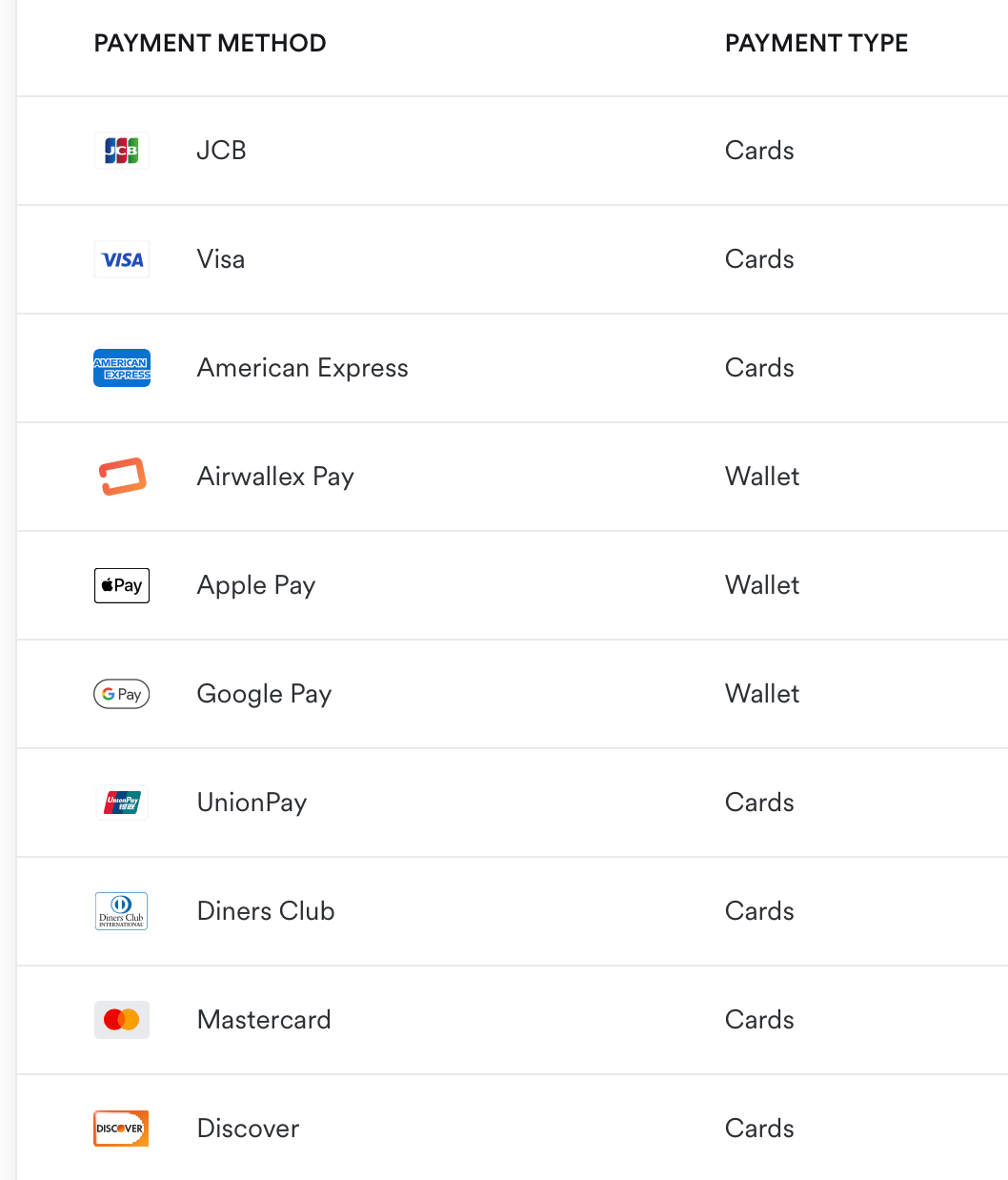 | Payment Method | Type |
| -------------------- | ------ |
| **Visa** | Cards |
| **Mastercard** | Cards |
| **American Express** | Cards |
| **Discover** | Cards |
| **JCB** | Cards |
| **Diners Club** | Cards |
| **UnionPay** | Cards |
| **Apple Pay** | Wallet |
| **Google Pay** | Wallet |
| **Airwallex Pay** | Wallet |
Cards are saved on file when you check out the first time and reused for renewals. Wallets work the same way — you authorize once at checkout, and the wallet is the saved-payment-method for renewals afterwards. Add, remove, or reorder methods at any time from **Settings → Payment Methods**.
### 3D Secure / SCA at checkout
When your card-issuing bank requires a step-up authentication (3D Secure 2 / SCA in Europe, equivalent rails for other regions), Airwallex's flow surfaces the challenge **inline at checkout**:
1. You click **Activate Subscription** (or **Top up balance**)
2. Airwallex routes the auth through your bank
3. If the bank requires 3DS, an inline modal appears asking for the challenge — usually a one-time code from your banking app, an SMS, or a biometric prompt in your bank's mobile app
4. After you complete the challenge, the auth completes and the subscription / top-up is confirmed
Some specific behaviors to know:
* **Frictionless 3DS** — if your bank can authorize without challenging (low-risk transactions, well-known device + IP combo), the flow completes without showing you a modal at all. Both paths are still 3DS-authenticated; one just doesn't ask
* **Failed 3DS** — if you cancel the challenge, enter the wrong code too many times, or the bank declines, checkout shows the failure with a `3DS authentication failed` message. Try again or pick a different card
* **Saved cards** — first checkout authenticates the card. Subsequent renewals from the same card are typically frictionless (Airwallex's Merchant-Initiated Transaction flow handles re-auth invisibly), unless your bank specifically requires re-challenge
* **Wallet-paid purchases** (Apple Pay, Google Pay, Airwallex Pay) — the wallet's own biometric is the SCA equivalent; no separate 3DS modal appears
## The two billing modes
### Subscription (default for new accounts)
You pay the full term up front (Monthly / Yearly / 2-Year), and the resource runs without further charges until the term ends or you change it.
* Term discounts: **Yearly -17%**, **2 Years -17%** vs Monthly.
* Stopping a VM (`passive`) does **not** prorate or pause charges — the subscription continues for the term you paid for.
* Resize-up mid-term charges the prorated difference; resize-down credits the prorated difference back to your balance.
* Delete mid-term credits all unused days and hours back to your balance.
### Pay-as-you-go (PAYG, on request)
For enterprise and SMB customers who request it. Bills usage by the hour from your balance, with no advance commitment.
* Hourly rate matches the equivalent monthly subscription's per-hour cost.
* Settled at month-end on the 1st against your balance.
* No credit-on-delete — you only pay for what already ran.
The **cost of one full term is the same** in both modes. The only practical difference is when the money leaves your wallet.
## The charge order at checkout
When you confirm a purchase in the dashboard, the order summary always shows three lines:
| Line | What it means |
| ------------------- | --------------------------------------------------------------- |
| **Subtotal** | Full price of what you're buying |
| **Account Balance** | How much of your existing balance gets applied to this purchase |
| **Card Charge** | Whatever's left after balance — charged to the card you pick |
If your balance covers the subtotal, **Total Due is \$0** and you click **Activate Subscription** — no card charge. Otherwise the card form is presented, the difference is charged, and the card is saved for future renewals (removable in Settings → Payment Methods).
The 14-day **money-back guarantee** applies to subscription purchases made through the dashboard checkout.
## Credit — the universal "refund"
When something gives you money back — delete a VM mid-term, downsize a plan, hit an SLA credit — Raff returns the value as **account balance**, not as a card refund.
| Action | What you get |
| ---------------------------- | ----------------------------------------------------------------------------------- |
| Delete a VM mid-subscription | Unused days/hours credited to balance |
| Downsize a plan | Prorated difference credited to balance |
| Resize-up | (Charged the prorated difference, no credit) |
| SLA failure | Credit applied per the [SLA](/products/build/virtual-machines/details/sla) schedule |
| 14-day money-back claim | Original purchase amount back; balance vs card depends on the original payment path |
Credits sit in your balance and apply to the next purchase, renewal, or top-up. They don't go back to the original payment method. **They are not refunded to your card.**
This is why "refund" is the wrong mental model — it's "credit forward."
## Billing date rotation to the 1st
By default, every Raff account's billing rotates to the **1st of the month** within two cycles. This happens automatically with no setting to toggle.
| Cycle | What happens |
| ------------------------ | ------------------------------------------------------------------------------------------------------- |
| Month 1 — create | Pay the full subscription term from your create date |
| Month 2 — normalization | At renewal, system charges a prorated amount for the days between the renewal date and the upcoming 1st |
| Month 3 onward — aligned | Every renewal lands on the 1st — one consolidated invoice across all your resources |
The month-2 prorated charge is always smaller than a full month — it covers only the gap. After the single correction, every VM, volume, snapshot, backup, and Public IP renews on the 1st with clear per-resource line items. They share an invoice; they don't merge into a lump sum.
See [Pricing → Billing-date alignment](/products/build/virtual-machines/details/pricing#billing-date-alignment-to-the-1st-of-the-month) for the worked example.
## What's metered vs unlimited
| Item | Billing |
| ---------------------------------------- | --------------------------------------------------------- |
| Plan (CPU, RAM, base disk) | Subscription term or hourly |
| **Outbound bandwidth** | **Unlimited and free on every plan — no per-GB charge** |
| Inbound bandwidth | Free, never billed |
| Private VPC traffic between your own VMs | Free, never billed |
| Block storage volumes | Per GB, subscription term or hourly |
| Snapshots | Per GB-hour |
| Backups | Per GB-month above the shared backup + snapshot free pool |
| Custom images | Per GB stored |
| Object Storage | Per GB stored |
| Public IPs | Per IP, billed separately |
The **Total Data Transfer** graph in the dashboard tracks outbound for visibility — not for billing. There's nothing to bill against.
## Failure modes
When a paid action fails for billing reasons via the API, the response is one of:
| Status | Reason | Meaning |
| ------ | ------------------------------------------- | ---------------------------------------------------------------- |
| `403` | `banned` / `failed` / `no_billing_customer` | Account isn't in good standing — contact support |
| `402` | (plain error) | Balance insufficient *and* the card path didn't satisfy the cost |
Through the dashboard, you'll typically see the checkout page block before any of this surfaces — it tells you exactly what's happening (balance shortfall, card declined, etc.) before resources are created.
## Quick mental model
```
Top-up ──────► Account balance ──┬──────► Resource (subscription)
Card on file ─────────────────────┘ │
│
Delete or downsize
│
▼
Credit back to balance
```
* One account ⇒ one balance ⇒ one invoice (after rotation completes).
* Credits flow forward, never backward to the card.
* Bandwidth is free; only stored bytes (volumes, snapshots, backups, images, Object Storage) and IP reservations are metered separately from the plan.
## Related
Per-line-item rates and the rotation worked example.
What can fail before billing even runs.
Credit schedule when uptime drops below 99.90%.
What can suspend an account regardless of payment.
| Payment Method | Type |
| -------------------- | ------ |
| **Visa** | Cards |
| **Mastercard** | Cards |
| **American Express** | Cards |
| **Discover** | Cards |
| **JCB** | Cards |
| **Diners Club** | Cards |
| **UnionPay** | Cards |
| **Apple Pay** | Wallet |
| **Google Pay** | Wallet |
| **Airwallex Pay** | Wallet |
Cards are saved on file when you check out the first time and reused for renewals. Wallets work the same way — you authorize once at checkout, and the wallet is the saved-payment-method for renewals afterwards. Add, remove, or reorder methods at any time from **Settings → Payment Methods**.
### 3D Secure / SCA at checkout
When your card-issuing bank requires a step-up authentication (3D Secure 2 / SCA in Europe, equivalent rails for other regions), Airwallex's flow surfaces the challenge **inline at checkout**:
1. You click **Activate Subscription** (or **Top up balance**)
2. Airwallex routes the auth through your bank
3. If the bank requires 3DS, an inline modal appears asking for the challenge — usually a one-time code from your banking app, an SMS, or a biometric prompt in your bank's mobile app
4. After you complete the challenge, the auth completes and the subscription / top-up is confirmed
Some specific behaviors to know:
* **Frictionless 3DS** — if your bank can authorize without challenging (low-risk transactions, well-known device + IP combo), the flow completes without showing you a modal at all. Both paths are still 3DS-authenticated; one just doesn't ask
* **Failed 3DS** — if you cancel the challenge, enter the wrong code too many times, or the bank declines, checkout shows the failure with a `3DS authentication failed` message. Try again or pick a different card
* **Saved cards** — first checkout authenticates the card. Subsequent renewals from the same card are typically frictionless (Airwallex's Merchant-Initiated Transaction flow handles re-auth invisibly), unless your bank specifically requires re-challenge
* **Wallet-paid purchases** (Apple Pay, Google Pay, Airwallex Pay) — the wallet's own biometric is the SCA equivalent; no separate 3DS modal appears
## The two billing modes
### Subscription (default for new accounts)
You pay the full term up front (Monthly / Yearly / 2-Year), and the resource runs without further charges until the term ends or you change it.
* Term discounts: **Yearly -17%**, **2 Years -17%** vs Monthly.
* Stopping a VM (`passive`) does **not** prorate or pause charges — the subscription continues for the term you paid for.
* Resize-up mid-term charges the prorated difference; resize-down credits the prorated difference back to your balance.
* Delete mid-term credits all unused days and hours back to your balance.
### Pay-as-you-go (PAYG, on request)
For enterprise and SMB customers who request it. Bills usage by the hour from your balance, with no advance commitment.
* Hourly rate matches the equivalent monthly subscription's per-hour cost.
* Settled at month-end on the 1st against your balance.
* No credit-on-delete — you only pay for what already ran.
The **cost of one full term is the same** in both modes. The only practical difference is when the money leaves your wallet.
## The charge order at checkout
When you confirm a purchase in the dashboard, the order summary always shows three lines:
| Line | What it means |
| ------------------- | --------------------------------------------------------------- |
| **Subtotal** | Full price of what you're buying |
| **Account Balance** | How much of your existing balance gets applied to this purchase |
| **Card Charge** | Whatever's left after balance — charged to the card you pick |
If your balance covers the subtotal, **Total Due is \$0** and you click **Activate Subscription** — no card charge. Otherwise the card form is presented, the difference is charged, and the card is saved for future renewals (removable in Settings → Payment Methods).
The 14-day **money-back guarantee** applies to subscription purchases made through the dashboard checkout.
## Credit — the universal "refund"
When something gives you money back — delete a VM mid-term, downsize a plan, hit an SLA credit — Raff returns the value as **account balance**, not as a card refund.
| Action | What you get |
| ---------------------------- | ----------------------------------------------------------------------------------- |
| Delete a VM mid-subscription | Unused days/hours credited to balance |
| Downsize a plan | Prorated difference credited to balance |
| Resize-up | (Charged the prorated difference, no credit) |
| SLA failure | Credit applied per the [SLA](/products/build/virtual-machines/details/sla) schedule |
| 14-day money-back claim | Original purchase amount back; balance vs card depends on the original payment path |
Credits sit in your balance and apply to the next purchase, renewal, or top-up. They don't go back to the original payment method. **They are not refunded to your card.**
This is why "refund" is the wrong mental model — it's "credit forward."
## Billing date rotation to the 1st
By default, every Raff account's billing rotates to the **1st of the month** within two cycles. This happens automatically with no setting to toggle.
| Cycle | What happens |
| ------------------------ | ------------------------------------------------------------------------------------------------------- |
| Month 1 — create | Pay the full subscription term from your create date |
| Month 2 — normalization | At renewal, system charges a prorated amount for the days between the renewal date and the upcoming 1st |
| Month 3 onward — aligned | Every renewal lands on the 1st — one consolidated invoice across all your resources |
The month-2 prorated charge is always smaller than a full month — it covers only the gap. After the single correction, every VM, volume, snapshot, backup, and Public IP renews on the 1st with clear per-resource line items. They share an invoice; they don't merge into a lump sum.
See [Pricing → Billing-date alignment](/products/build/virtual-machines/details/pricing#billing-date-alignment-to-the-1st-of-the-month) for the worked example.
## What's metered vs unlimited
| Item | Billing |
| ---------------------------------------- | --------------------------------------------------------- |
| Plan (CPU, RAM, base disk) | Subscription term or hourly |
| **Outbound bandwidth** | **Unlimited and free on every plan — no per-GB charge** |
| Inbound bandwidth | Free, never billed |
| Private VPC traffic between your own VMs | Free, never billed |
| Block storage volumes | Per GB, subscription term or hourly |
| Snapshots | Per GB-hour |
| Backups | Per GB-month above the shared backup + snapshot free pool |
| Custom images | Per GB stored |
| Object Storage | Per GB stored |
| Public IPs | Per IP, billed separately |
The **Total Data Transfer** graph in the dashboard tracks outbound for visibility — not for billing. There's nothing to bill against.
## Failure modes
When a paid action fails for billing reasons via the API, the response is one of:
| Status | Reason | Meaning |
| ------ | ------------------------------------------- | ---------------------------------------------------------------- |
| `403` | `banned` / `failed` / `no_billing_customer` | Account isn't in good standing — contact support |
| `402` | (plain error) | Balance insufficient *and* the card path didn't satisfy the cost |
Through the dashboard, you'll typically see the checkout page block before any of this surfaces — it tells you exactly what's happening (balance shortfall, card declined, etc.) before resources are created.
## Quick mental model
```
Top-up ──────► Account balance ──┬──────► Resource (subscription)
Card on file ─────────────────────┘ │
│
Delete or downsize
│
▼
Credit back to balance
```
* One account ⇒ one balance ⇒ one invoice (after rotation completes).
* Credits flow forward, never backward to the card.
* Bandwidth is free; only stored bytes (volumes, snapshots, backups, images, Object Storage) and IP reservations are metered separately from the plan.
## Related
Per-line-item rates and the rotation worked example.
What can fail before billing even runs.
Credit schedule when uptime drops below 99.90%.
What can suspend an account regardless of payment.